Series 1: Getting Started & Setup
1.1 Getting Started with DustMagic
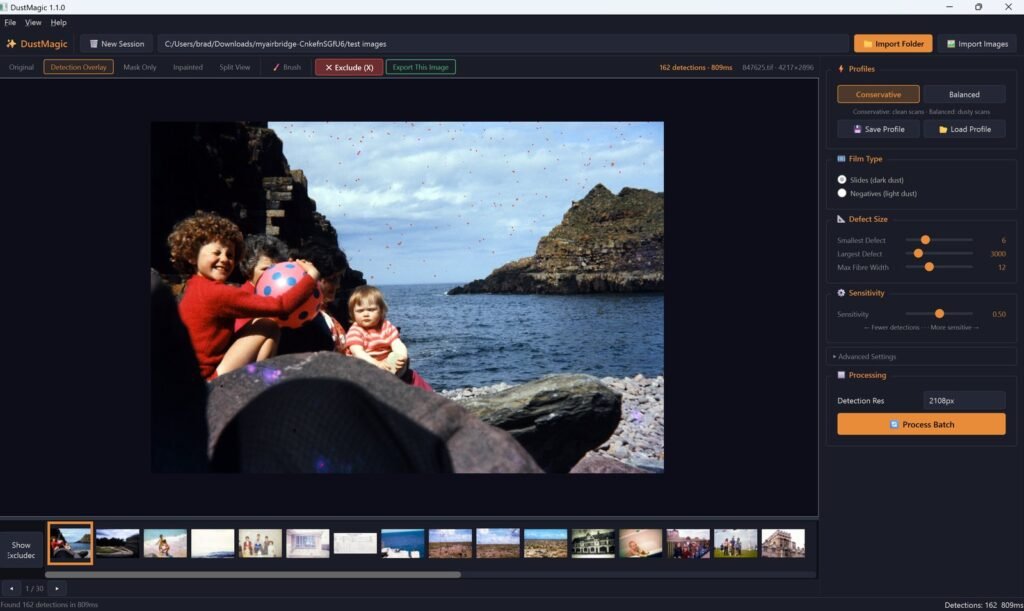
DustMagic in three minutes — system requirements, install steps for Windows and Mac, first launch, and what comes next.
Product guides, scanning tips, and tutorials for getting the most out of Dust Magic.
DustMagic in three minutes — system requirements, install steps for Windows and Mac, first launch, and what comes next.
The fastest path from a folder of scans to a folder of cleaned files: Import Folder, set Film Type, review with the view modes, click Process Batch.
Install the bundled Lightroom Classic plugin from Help → Lightroom Integration. Photoshop and Capture One workflows use TIFF round-tripping.
The free trial — unlimited images, watermarked output — and the $49/year licence that removes the watermark. Plus activation, renewal, and troubleshooting.
A head-to-head comparison of DustMagic and Lightroom’s spot removal tool for cleaning film scans — where each one earns its place and where the volume wall hits.
The end-to-end workflow for batch-removing dust from hundreds or thousands of scanned photos — folder structure, presets, quality-control, and pitfalls to avoid.
Looking for an SRDx alternative? DustMagic automatically removes dust from colour film and Kodachrome scans — no Photoshop required, no infrared channel, batches of ~100 images in about 3 minutes.